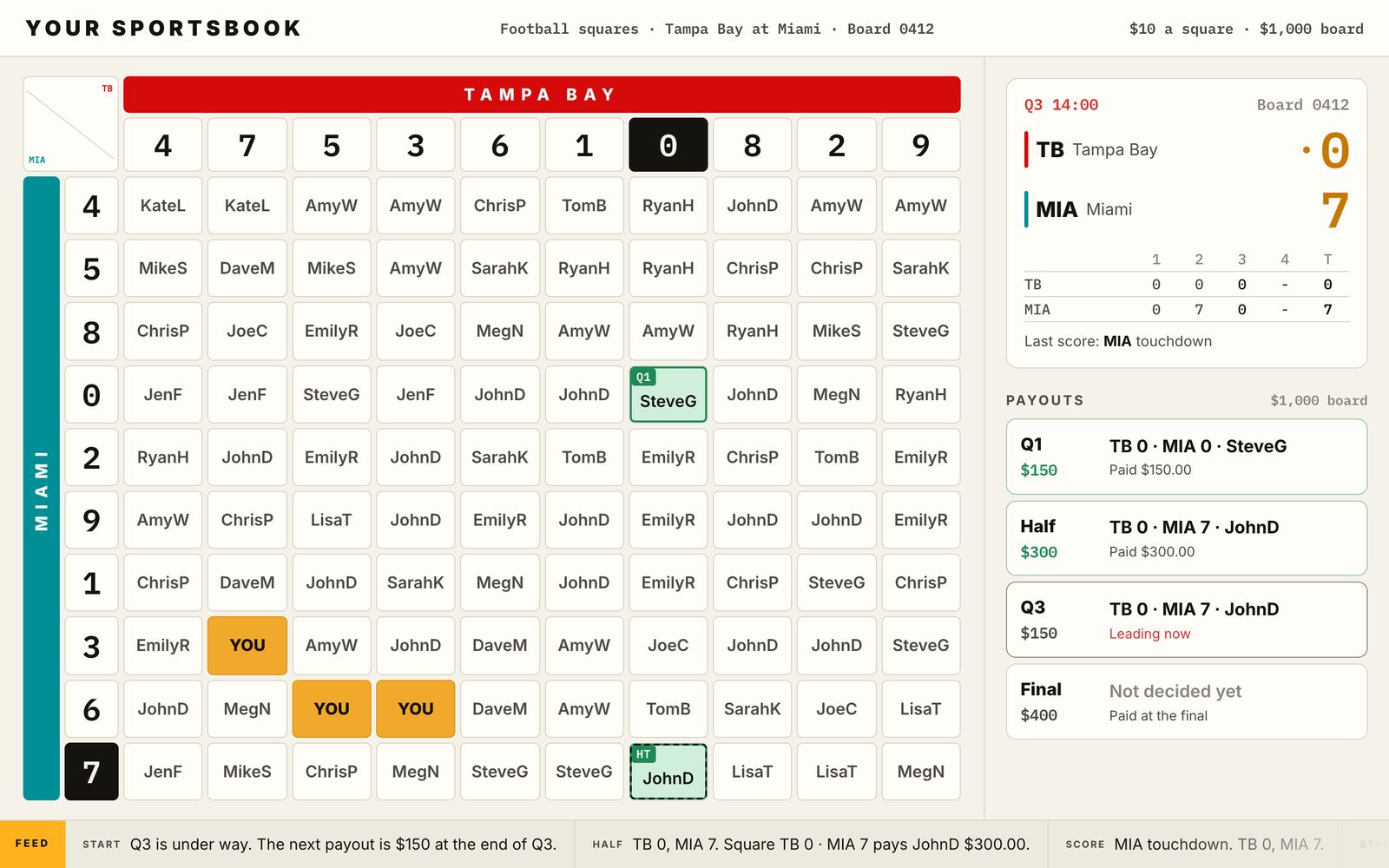
CaaS Retail puts free-to-play Squares boards and weekly NFL Pick'em on kiosks on your floor. Guests enter with their players card, print a ticket with a QR code, and scan it later to see if they won. Games lock at kickoff, grading runs from the final scores, and the boards and standings are public.
Live on a casino floor near Chicago since September 2026.
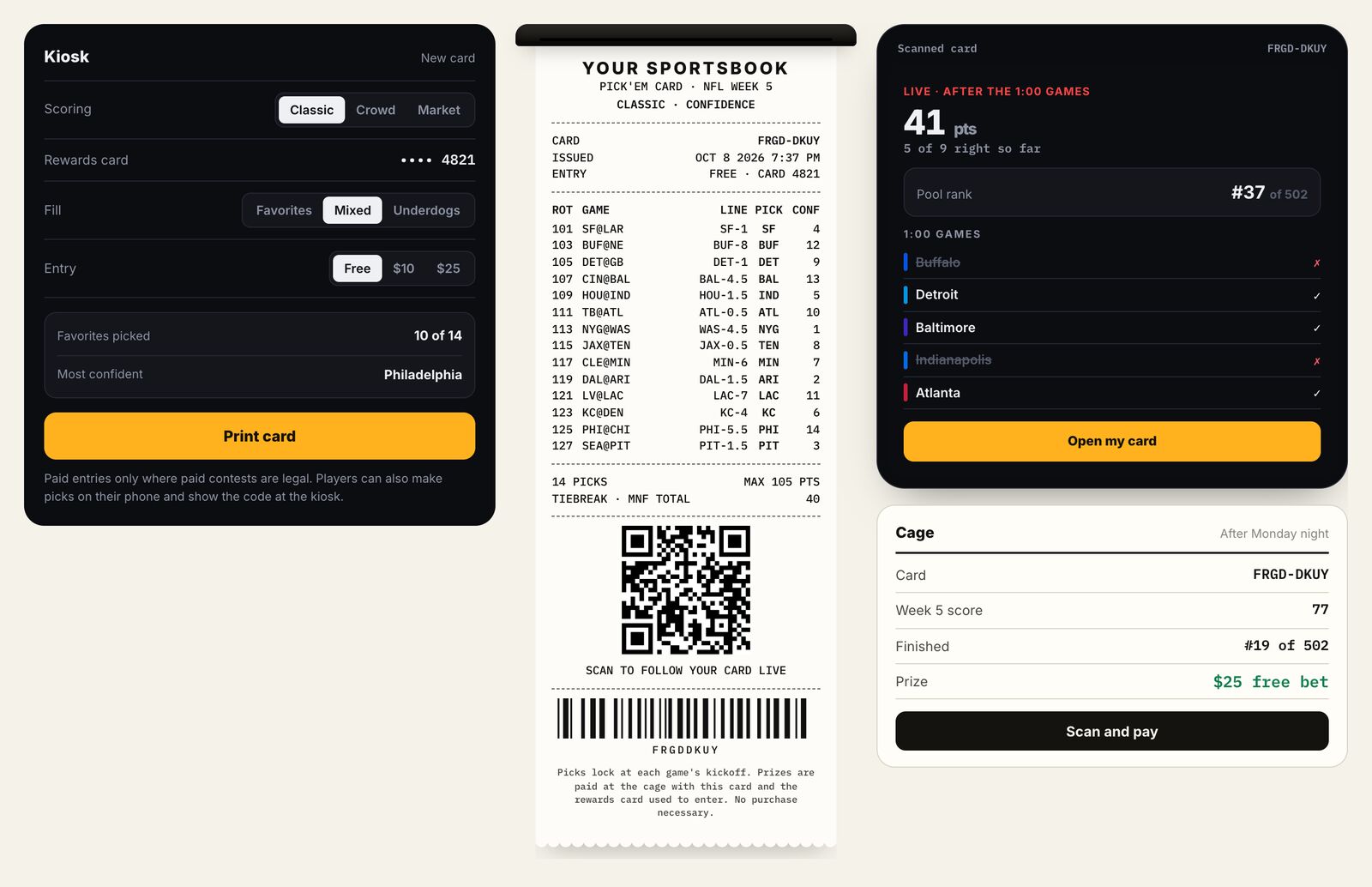
Pick'em demoKiosk, printed card, phone check, cage
Screens on this page come from our Appently demos and use sample data. The live floor runs under the casino's own brand.
This is the flow running on the floor today, for Squares and for weekly Pick'em against the spread.
In the admin, staff create a Squares board for a game, or a Pick'em week with its league, pick type, date window, and players card rule. The games and spreads fill in from our schedule and odds data. New contests show on the kiosk lobby.
The lobby lists the open Squares boards and the weekly Pick'em, marked free to play, with a countdown to kickoff. For Squares the guest taps a square. For Pick'em they pick every game against the spread and enter a tiebreaker: the total points in the last game of the week.
A prompt asks the guest to swipe their players card or type the number. The guest does this on their own at the kiosk. On this floor the card has 13 digits and every entry needs one.
The screen shows the entry with its QR code and ticket number, and Print Receipt sends it to the 80mm thermal printer. A Squares ticket shows the game, the board, and the guest's square. A Pick'em ticket lists every pick with its spread and the tiebreaker.
Each Pick'em game locks at its own kickoff, so a guest who enters during the 1:00 games can still pick the late games. Each Squares board closes 2 minutes before kickoff and draws 0 to 9 for each side, with a new draw for every board.
As each game goes final, Pick'em picks are marked WIN or LOSS and records move on the leaderboard. When a Squares game ends, the board marks the winning square from the last digit of each score, marks the reverse square, and posts the score by quarter.
The ticket says “Scan to check if you won.” The QR code opens the ticket's page: each pick with WIN or LOSS, the leaderboard, and where the guest stands. A Leading tag appears once results exist.
Winners bring the ticket to the cashier. The redemption terms print on every ticket, such as how long a guest has to claim and the ID and players card they need to show.
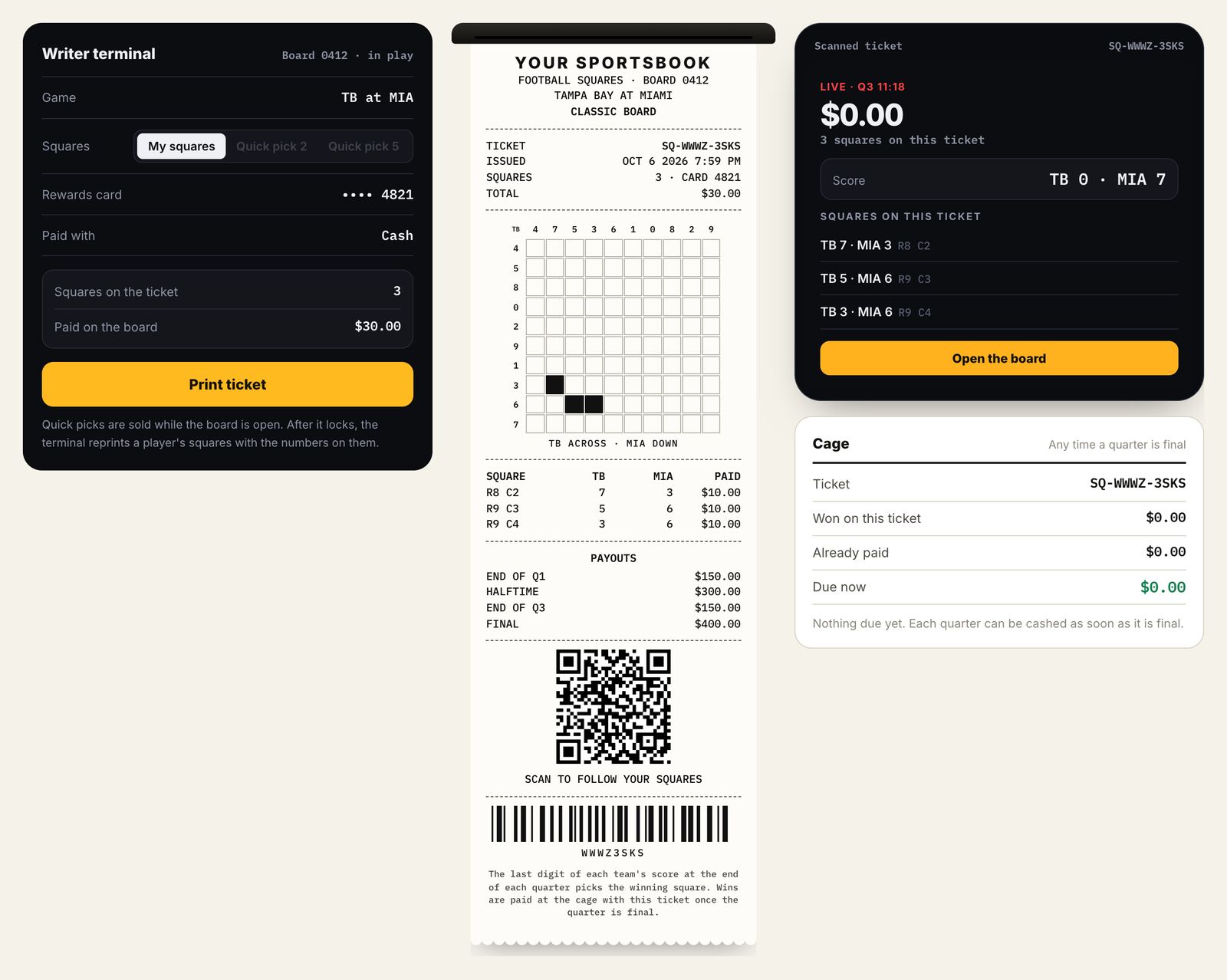
These screens come from our own Appently demos, with sample data: kiosk entry with a players card, the printed ticket, the phone check, and the board. The demos also include options beyond what the floor runs, such as paid entries, a writer terminal for staff, and paying winners by scanning the ticket at the cage.
Printed ticket, phone check, and cage.
In the Squares demo, an entry prints an 80mm ticket with the board, the guest's squares, the players card, and a QR code. After the board locks, the terminal reprints the squares with the drawn numbers on them. Scanning the code opens the ticket on a phone with the live score.
Drawn numbers, scores, and winners in one view.
The Squares demo has a TV wall view for screens on the floor. It shows the drawn numbers, the score by quarter, and each payout as it is decided, with the leading square marked during play.
Squares and weekly Pick'em are live on the floor today. Brackets has the same kiosk entry and printed ticket in our demo. For online contests, see CaaS.
Free boards for single NFL games.
The full NFL week against the spread, on one ticket.
Tournament brackets with the same kiosk entry and printed ticket.
Your staff set up contests in the admin. Locks, number draws, and grading run automatically.
Create Squares boards and Pick'em weeks. For Pick'em, set the league, spreads or moneyline, the date window, the players card rule, and the tiebreaker. The week's games and spreads fill in for you.
Each Pick'em game locks at its kickoff. Each Squares board closes 2 minutes before kickoff and draws its own numbers. Closed boards leave the lobby, so guests only see what is still open.
Pick'em picks are marked WIN or LOSS as each game goes final, and records update on the leaderboard. Squares boards mark the winning and reverse squares from the final score.
80mm thermal tickets with your casino's name, the contest, the guest's picks or square, a QR code, a ticket number, and your redemption terms.
The QR code opens the ticket's page with each result and the leaderboard. Squares boards and Pick'em standings are public pages that update as games finish.
Each entry carries the guest's players card number. Public boards show only the last four digits, and your terms can require the same card at the cashier.
On Sunday, September 27, 2026, we placed test entries on the live floor and followed them through the NFL afternoon. The log shows what happened, with times in Eastern.
Test entries used two players cards. The late games stayed pending until they finished.
Tell us about your floor, your players card program, and the contests you want to run. We'll show you how CaaS Retail would work there.